The finish line!

We’ve made it! Hooray! lots of awesomeness to be had now that we’ve completed our game. From basically just a blank sheet, we’ve made something that is pretty decent for our first game. It was one hell of a ride though! Looong hours, blood sweat and tears, but we made it. I must admit, I do feel sad now that it’s over… BUT! This was a project given to myself from my college course, and it was pretty damn FUN!
Project fin 2

You’re probably wondering, what did I change? Well. Apart from some code refactoring, I’ve only really added a reset function which resets your score, time, ammo and resets the target animations and values, so that you can play this over and over! Nothing too special to be honest, but it was honestly a blast making this game. If I have to do another project, it’s definitely a FPS… Or maybe a 2D RTS? I don’t know. It’s just food for thought at this rate.
Project fin 1

You probably have a couple questions, like these!

Q: Will I continue my project?

A: Perhaps. We’ll have to see.

Q: Will I continue to blog?

A: Probably not. I just did it because I had to and it was easy to do so. Only time will tell. Maybe if i have to do another project, then sure!


I do have to say thank you to those who have followed my blog. It’s been a fun ride from start to finish, but every curtain must be drawn at the end of the day.

Thanks again guys and stay awesome,

Matthew
The final hurdle!

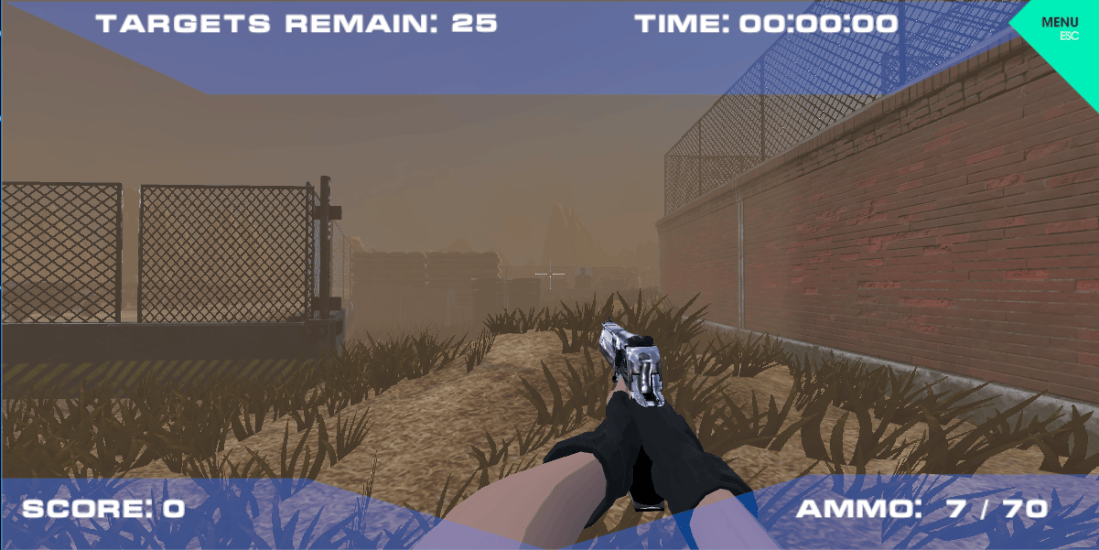
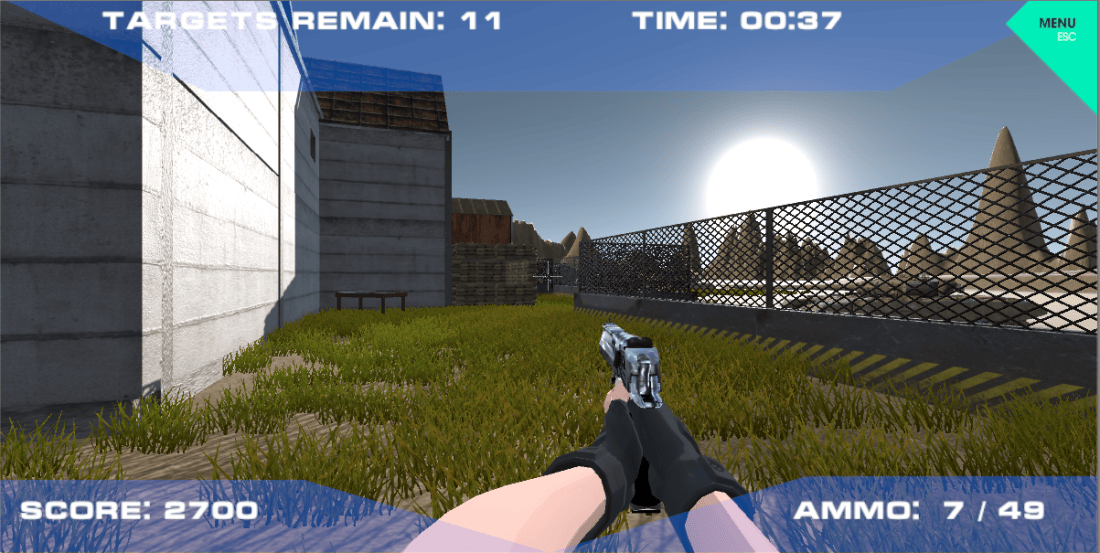
We’re so damn close to finishing! We’ve finally finished the UI the Timer, score count, total targets left standing and ammo count! I’ve added a box trigger so that when you move into the said zone, whether it’d be the Door Trigger or the Finish Trigger, it would do an animation, ie door open and timer start, or door close and timer finish.

Timer Counter and other stuff.PNG

Speaking of the door, I wanted to basically segregate the spawn off from the rest of the map, this because I wanted to allow the user to chill in the spawn (if they wanted to), but it was mainly to stop people from just shooting the targets from the spawn before they should, and this is a good counter to anyone trying to cheat the system.

I did have a LOT of damn issues, I spent 6 hours working on the UI system not fully knowing how to access scripts within a script and my god. I was so tired, yet I just couldn’t figure out how to do it! THANKFULLY I had a breakthrough and I was able to have my score system works.

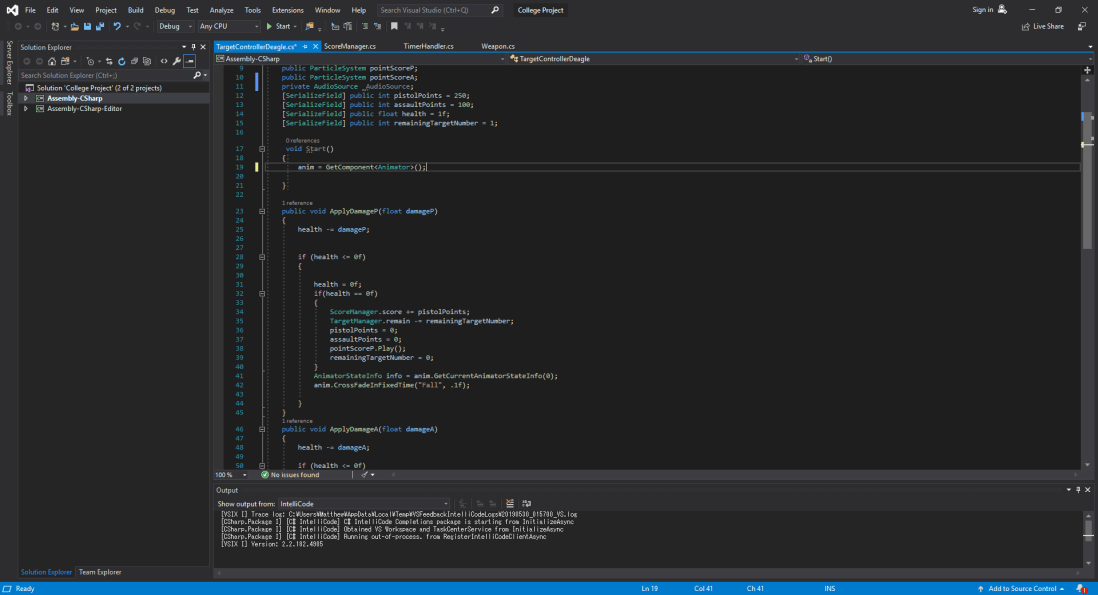
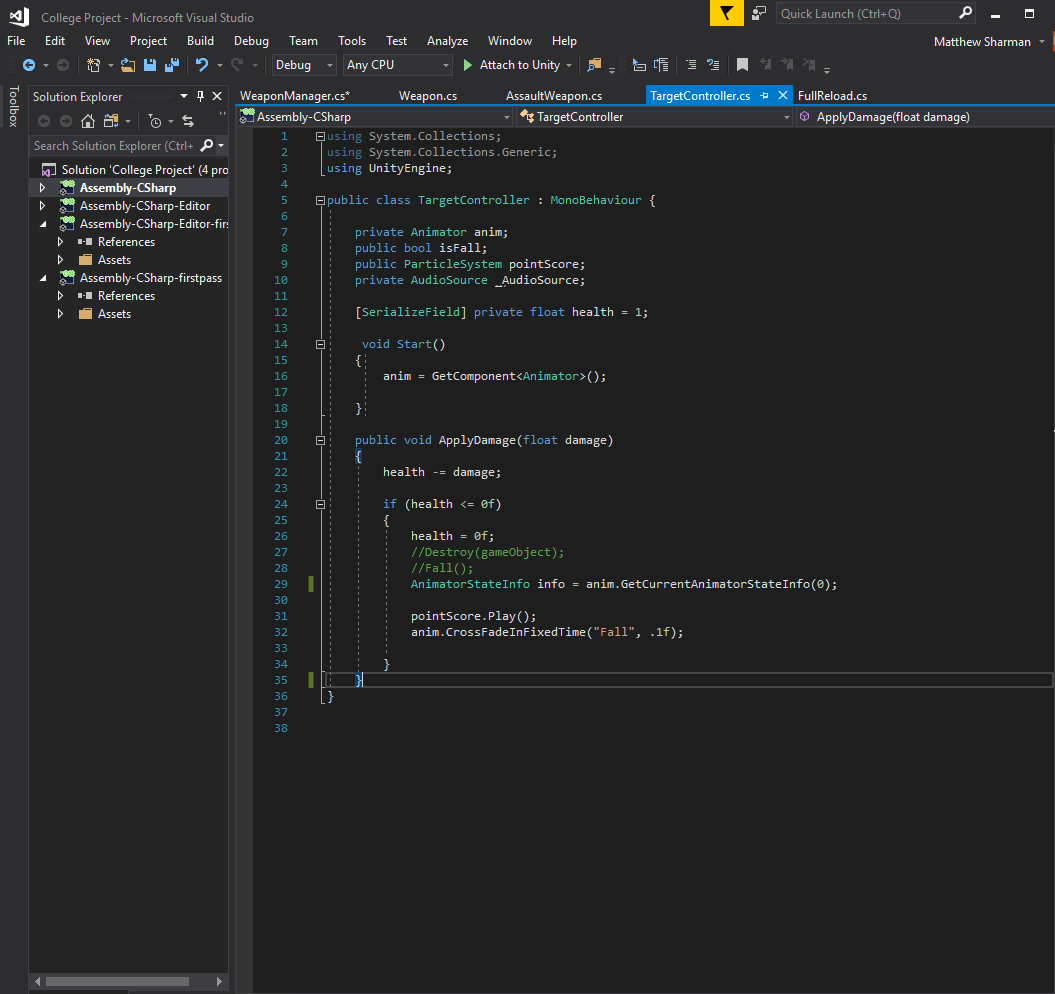
To put the score system very briefly, there are set values for each weapon (250 for Pistol 100 for Assault). Each weapon does 1 damage, and when you shoot the target, it reduces its health to 0. This then triggers an if statement which sends the correct points depending on the weapon used to the score, which is then added. To stop people from abusing the point system, once the health hits 0, it sets the points for both Pistol and Assault to 0. Whilst this happens, the target script then triggers an animation which makes the target fall down to give the player a visual cue that the target has been hit, with a + X amount of points that comes off from above the model.

Unity code.PNG

I MAY try to have a more in depth and engaging targeting system to which if I shoot the head you get X more points than just shooting the body, so shooting the head will always yield more points than shooting the body, but that’s more of an addon at this point, along with a possible scoreboard I have enough time left, which I may do. We’ll just have to see.

Either way we’re so close to finishing the project, all I need is to fix the reset button and possibly re-engineer one of the targeting systems so that the reset system can work properly, as currently, some of the targets have been modified by hand, so if a reset function was added, it would made all the values the same, thus defeating the point of using a different weapon.

Anyway. There probably wont be any more blog updates till after Friday when I’ve finished my other assignment.


See you then!

Environmental Perfection

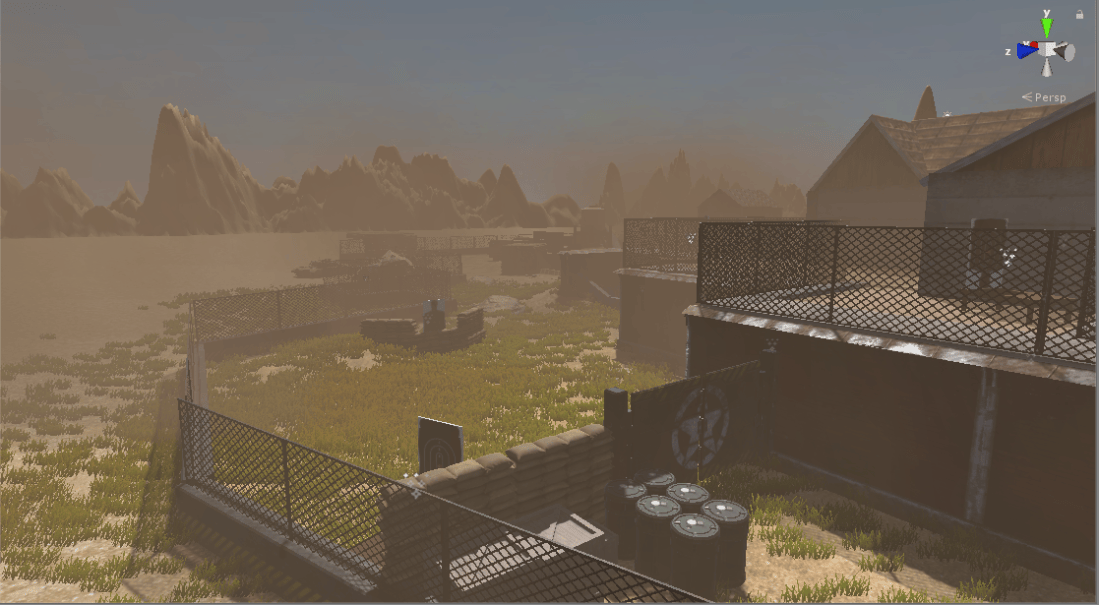
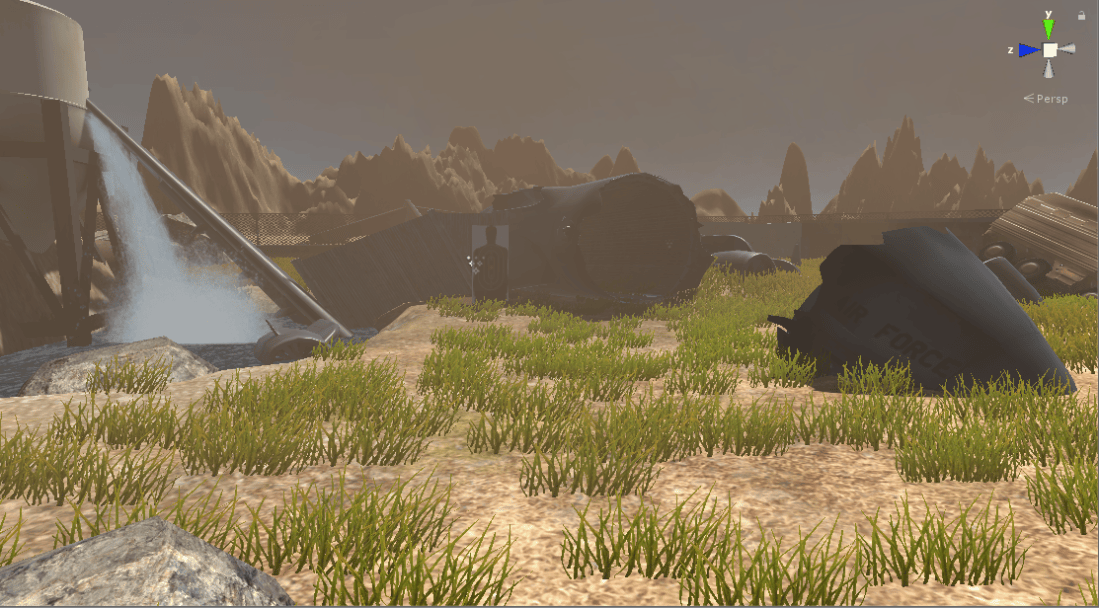
I’ve finally got an environment up and running! I’ll get a before and after, but I must say that there is still some additional features that I must add to the environment, but here is what we’ve got currently.

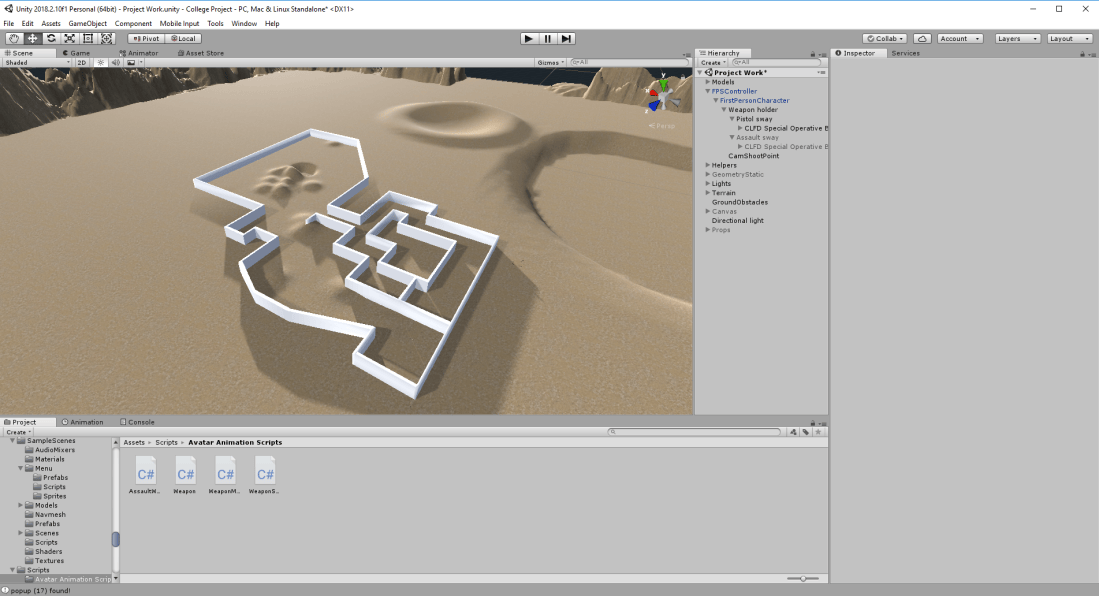
PRE:

Unity Pre.PNG

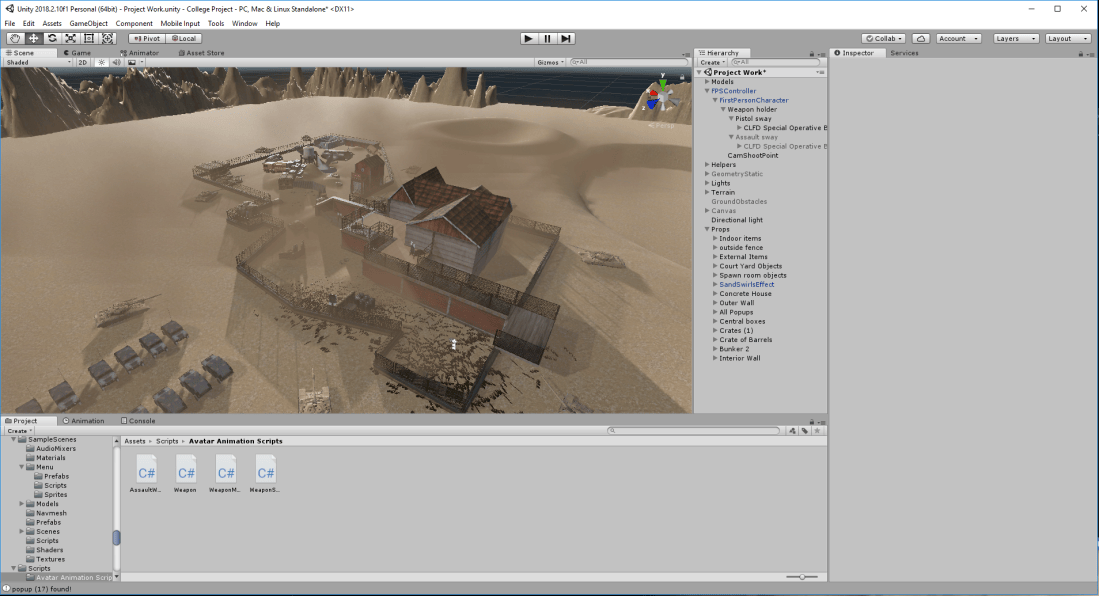
It’s a barren bloody wasteland! I’m not surprised if any of you sit there and and just question what I’ve been up to, but don’t you worry! I’ve got this. In the POST picture, I’m really happy as to how this has turned out, although if I have to be honest, there’s still more to be added as I stated earlier, but take a look at this.

POST:

Unity Post

Hell yeah! That looks a load better than the picture above right! I’ll do a little more re texturing and then I’ll show some more screenshots.

Here’s a picture of the UI. Very clunky for now, but I might do a quick change depending on the mood. Thankfully it’s transparent though so it’s not as “bad” as I thought it’d turn out.

Ingame HUD.PNG

UPDATE: Yes I didn’t do another blog, what’s the point? I’ve gone through and retextured some of the ground, but I’ve added a lot of props overall. A few minor tweaks and we’re good.

Hopefully by the end of this week, I just need to do a scoring system which i’m still working on, but apart from that we’re good and finished! (I hope…) PS. In the next blog i’ll go more in depth about what I’ve done and any issues I have had whilst doing it.

Anyway. Here’s some more pictures!

Hopefully this’ll keep you all satisfied for the finale. It’s been quite the journey, and I do apologise once again that I’ve not been keeping my end of the bargain which is to blog each week at least once so that we can see a steady upload schedule… but it is what it is. I’ll miss working on this once the college year is over, but who knows. I may continue to work on this and try to make it something more interesting than what it currently is.


But anyway. I’ll see you lot in the next blog!

True marksmanship!

We did it! I literally have no clue how (shame it’s like that but it’s true!) I’ve gotten the targets to fall down when I shoot them! Basically, with my weapons, they do X damage, (or in this case they do 1 damage) and the target has a HP of 1. Once the target hits 0 health points, it will trigger an animation to basically collapse the target, and give me x amount of points, depending on which gun I’ve used (still working on that, and code is below).

Unity code 1So. Here’s the current code, and it works. Here’s a quick gif of the target system working!
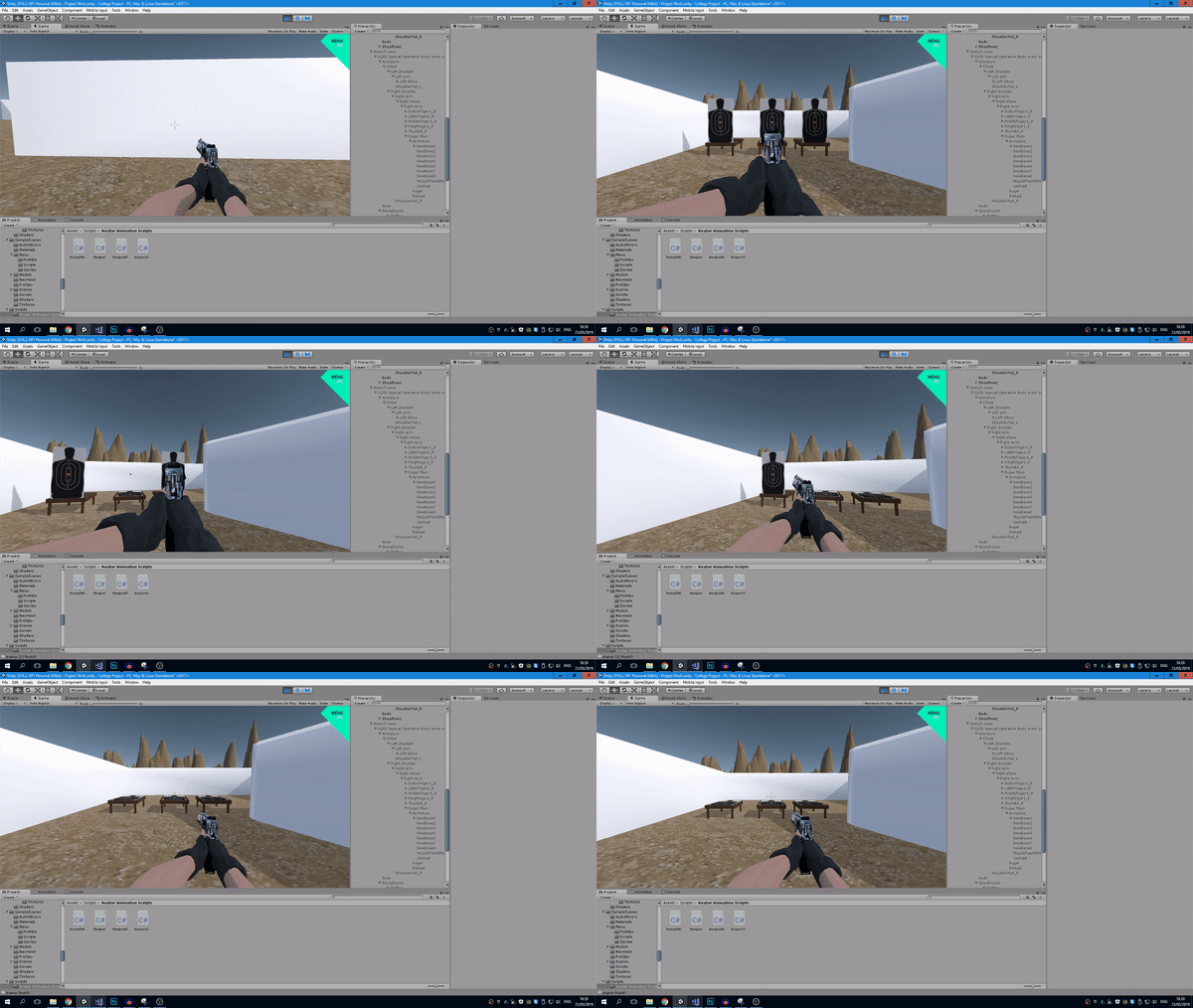
shootin targets gifPretty simple, but pretty damn AWESOME! I’m just now working on the UI once I’ve got weapon swapping, then it’s all down to making the world look nice and pretty! (yay…) I’ll probably do one more gun which is for example a shotgun or a sniper rifle. (And yes, I do know about the floating bullets, but that’ll be dealt with at a later stage).
We’ll have to see. I must admit today’s been pretty fun after I got through the whole targets not falling fiasco that has been plaguing me for the past damn week. Damn it feels satisfying. I may perhaps do another blog today near midnight IF I feel I can do some more before going to sleep… We’ll just have to see!


The taste of victory…

I can taste it!  (not really but you get what I mean!

I’ve almost got the damned targets working, and in the background i’ve got some particle systems which activate when you shoot the target, saying “250+” or “100+” etc. but they may change depending on how it’s used, but anyway. The targets I shoot at, disappear when hit, so they register when the get hit. Now i just need to redo the UI which I did do, but wasn’t working, thus I pulled it out and i’m now going to start it again. This is really brief, but i’ll add some images for the second blog post later today.


I know my blogs have been few and far between, and I only have myself to blame when it comes to the final day if my blogs aren’t up to scratch. But no matter! I’ll continue with the game and blogging when deemed relevant. Afterall, I’m pretty sure none here want’s to listen to me blog every week going “I did nothing today, i’ll see you next week.” Rather have some actual content to go through and show you guys so that you don’t get bored. Quality, rather than quantity as they say!

ANYWAY! In these last few weeks, once the UI and the core fundamentals are done, will just be making the map look realistic etc. It’s going to be difficult knowing that… well. I’m absolute garbage at map making, but I’ll document the process, maybe even add a time lapse video when I’ve got all my things together.

Anyway, see you in the next blog!

Cursed blockers

I sit here… at 1:50 AM, after racking my head at this cursed project. I’m currently going through difficulties when I really don’t need this right now. I’m tired and exhausted after handing in college work, and I’ve still got so much more to go. I was able to refine my weapons some more and I’ve gotten weapon switching done, but the biggest blocker is the cursed targets!

I cannot seem to get it to work the way I want it to and as they say, I cannot hit my “target”. Hopefully by Thursday i’ll have it done, and a score system being implemented, before lastly doing the environment…. yaaaaaaay… I hope you can feel the levels of enthusiasm right now as I try to comprehend why this target wont fall over when I shoot the bloody thing.

Hopefully i’ll have more luck tomorrow when i’m not sitting here with my energy sapped. College and Work – not a great combination, it absolutely kills you.

Come here bed. I require additional sleep.

sleepisgud

Yes. I spent too long looking for a gif that speaks to me right now. I’ll be like this for the coming weeks. (god help me).

Three shots of success

Bang bang bang!


We’ve made progress!  (not on my blogging skills I can say that much…) I’ve got my first working weapon (mostly), and i’m now working on getting targets in the game!

But to recap, over the past month I’ve been working on getting some weapons added into the game so I can swap between them if I want to. The Model has a single animator controller which then has several animation states built in, so when an action, like reloading is activated, the on command button (R) would trigger the reload animation, and the code behind the scene would fire, thus reloading the weapon. Pretty simple stuff in the background, but i’m pretty pleased with my progress. I’ve gotten the fire function which allows me to shoot particles (bullets) from my gun, and on contact with a surface, make a bullet hole, so that’s good.

Almost done with my targeting, but I seem to have some issues where on collision, the target doesn’t trigger the animation with the points, so unfortunately… I’m going to have to redo a part of my game so I can actually get the game to bloody work.

In other news, i’ve been adding another weapon, an assault rifle so we’re not stuck to the classic Desert Eagle one tap beast, and we have something more… user friendly. Of course throughout the game you won’t be using just one weapon – well, you can, but you just wont maximize the points if you just run around spraying your assault rifle at any target you see, so swapping between weapons is definitely needed.

I’ll have another blog tomorrow with some more updates.

Blender – Weight Painting

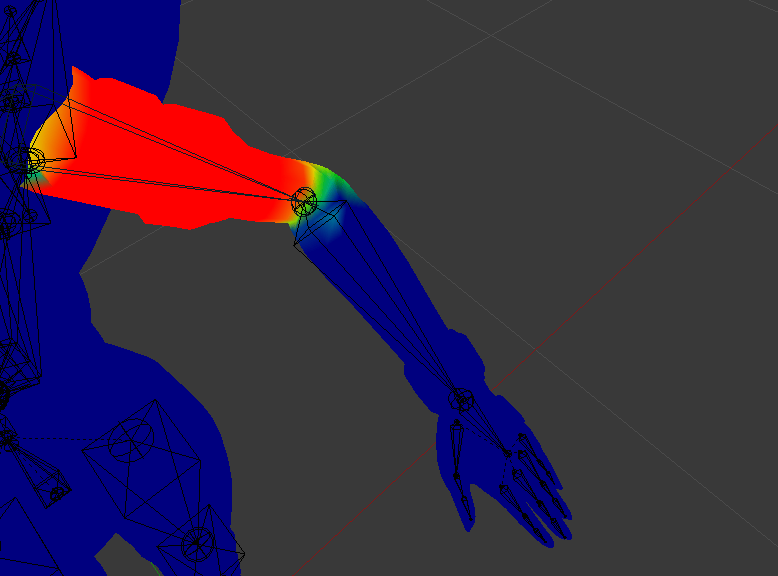
Right! Since I completely forgot about this last time, I’m going to give a quick overview of weight painting… I’ll try to keep it short and sweet.


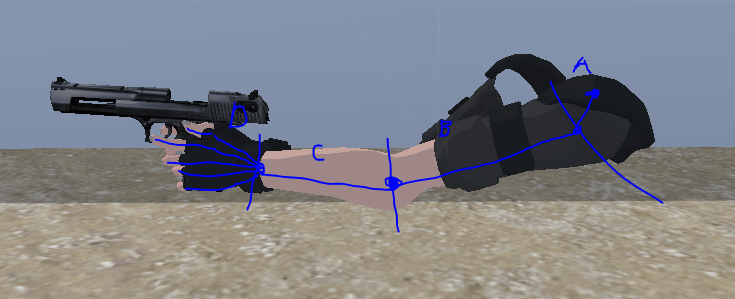
Weight painting is basically a process that you need to take when making animated parts. For example, lets take an arm. (horrendous drawings on it but you can’t have everything these days)… Anyway! Continuing onward, if we look at this arm, or any arm for that matter, you have the four sectors. A, B, C and D. A is the shoulder, which is the parent of bone B, which is the Arm. Bone C is the Elbow, and bone D is the wrist, which splits off into 5 other bones, being each individual finger.

Arm Drawing

So in this scenario, the Arm is weight painted, and the brighter colour moves more, so in this scenario, the main arm in weight painted bright red, and it goes to a light blue near the end of the arm, to where the elbow is connected, and it’ll be the same colour wise, but obviously in the elbow region instead.Weight Paint 2


A continuation of what I was working on

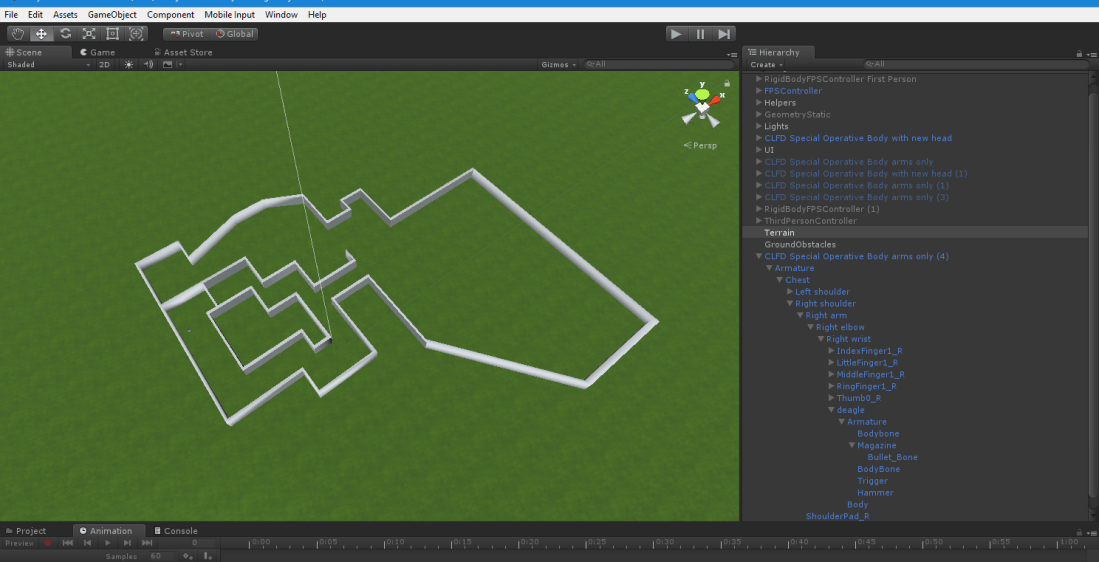
This blog will be split up into several parts. The first part was the arena. I’ve finished the overall layout of the arena (more will be built in unity when i have gotten more assets and the firing down which will be spoken about in the other blog session.

unity.PNGExtremely bland… I know that much. This is just a place holder for what I want the assault course to look like. I’ll hopefully find things to add into it to give it more of a feel and more visual items so it doesn’t look so god damn bare…. like god damn it’s so empty! Really doesn’t fit the scene, so that’ll be fixed for definite.


Where’s the train heading now?

Where are we going?

Fear not. We are currently moving forward towards getting our weapons to fire… which means C# Coding time!

This’ll be interesting because i do have some experience with coding in C# but i still am very far from being anything good, but nonetheless, it should give me a good insight to what coding is all about in the development region, so this should be interesting. I’ve got my animations set, my particles set and everything, so all that’s left is to set up the code, and we should have the foundations for a FPS set up. Then all that’s left is to fix the models, get particle collision and other settings/parameters set up and then we can finally start fleshing out the gauntlet…

It’s just the decision to have it so that you move around or stand still and shoot targets… Choices… Choices…. damn it. Decisions are hard.

Ah well, no matter. I shall continue to work on this project and make a decision soon as times tickin’ on and it’s gonna get closer and closer to the project due date.

Ah well… You… “Should” hear from me next week if we have some progress… I’m not exactly the best at keeping track of these weekly posts so I do apologise. Anyway!

See you next week!